Every new account on your books needs a slot on a CSM's calendar before it can get live, and that calendar only has so many slots. That's the real reason teams look to replace onboarding calls with AI: not because the calls are bad, but because they're calendar-bound by design, and a calendar-bound process caps how many customers you can take live in any given week, no matter how good the CSM running it is.
This isn't an argument for ripping out every human touchpoint in onboarding. It's about separating the part of the call that's a scripted walkthrough, the same screen-share fifty times a quarter, from the part that's actual judgment. One of those scales with a calendar. The other doesn't need to.
Why Onboarding Calls Don't Scale
A mid-touch CSM's fully loaded cost runs $90,000-130,000 a year, and that CSM typically carries 40-50 accounts. Every one of those accounts has to find a mutually available slot before onboarding can even start, and the bigger the account, the longer that slot takes to fill. Per Perspective AI's 2026 benchmark of roughly 1,400 organizations, median time-to-value climbs sharply by account size: 11 minutes under $5,000 ARR, 2.4 days for $5,000-25,000 ARR, 9 days for $25,000-100,000 ARR, and 23 days, nearly a full CSM month, for accounts above $100,000 ARR.
Stack enough of those accounts onto one calendar and the math turns against you fast. The CSM isn't slow. The format is linear: one CSM, one screen-share, one account, one slot at a time. Hiring more CSMs adds more calendars running the same linear process, it doesn't change the shape of the bottleneck. We've modeled that dynamic in detail in our breakdown of the CSM to customer ratio.
What "Replace Onboarding Calls With AI" Actually Means
The phrase sounds more disruptive than the reality. Most onboarding calls break down into two very different kinds of work:
- The repeatable walkthrough. Showing a new user where a given workflow lives, which button triggers which action, how to configure the first project. This is the same conversation, with minor variations, every single time.
- The judgment call. Scoping a custom integration, negotiating a rollout timeline across departments, talking through a stakeholder's specific objection, deciding how to handle an edge case your product doesn't cleanly support yet.
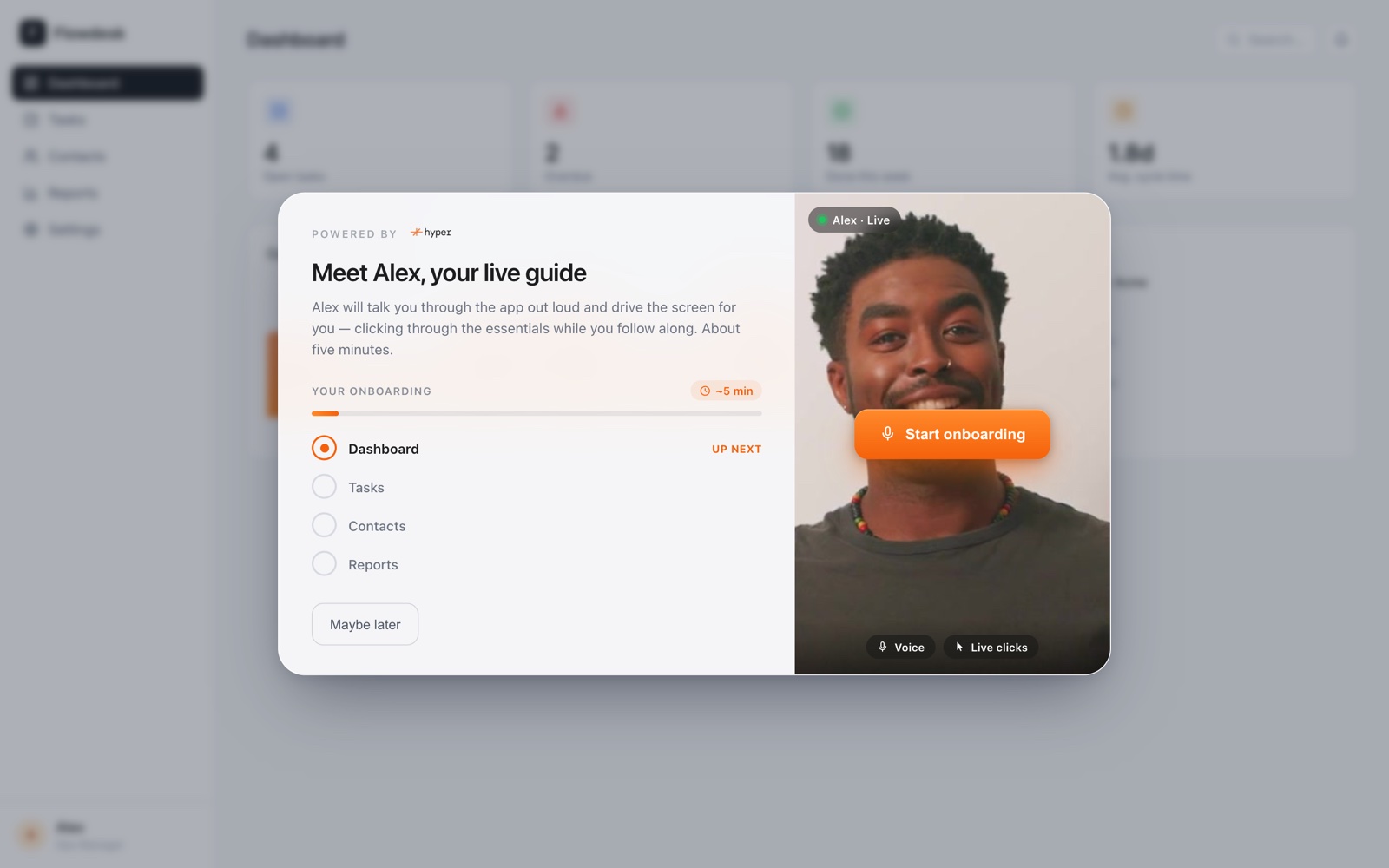
An AI onboarding agent replaces the first category, not the second. It lives inside your actual product, detects a new user's first login, and co-drives the browser in that user's real session, in real time, adapting to what they click and ask. It isn't a script that plays the same way regardless of what the user does, and it isn't a text chatbot sitting in a sidebar answering questions without ever touching the product. It's a live, session-aware guide running inside the product itself, available the moment a new user shows up rather than whenever a CSM's calendar has an opening.
What it produces that a call never does
A one-off onboarding call leaves you with notes in a CRM field, if you're lucky. An onboarding agent produces a structured report per session, plus an aggregate view across every new user, showing exactly where people stall, which step gets skipped, and which cohort reaches the aha moment fastest. That's data a single scheduled call was never built to generate at scale.
What Stays a Human Conversation
Be specific about what doesn't change, because overselling this is how teams end up disappointed. An AI onboarding agent is not the right tool for:
- Enterprise rollout scoping. Multi-department implementations with procurement, security review, and change management still need a human who can negotiate timelines and trade-offs across stakeholders.
- Custom integration work. If the account needs a bespoke API connection or data migration, that's an engineering conversation, not a guided walkthrough.
- Renewal-risk conversations. If a customer is unhappy, the fix is a relationship, not a product tour. Keep a CSM in that conversation.
What moves is the volume of calendar-bound calls that exist purely to repeat the same walkthrough. Fewer of those means more of a CSM's actual calendar is available for the three categories above, the ones where a human genuinely changes the outcome.
See what a session looks like without a scheduled call
Hyper's Onboarding Agent co-drives each new user's first session inside your product, live, the moment they log in.
Book a demo →The Cost Math Behind the Decision
Run the numbers on a single account band and the case gets concrete fast. Convert a $110,000 loaded CSM salary to a daily rate over a standard 250-working-day year and you get roughly $440 a day, a modeling convention, not a cited statistic, just the arithmetic bridge from an annual number to a day of calendar time. Multiply that by the median days-to-value for a $25,000-100,000 ARR account, 9 days, and the onboarding-call portion of that account alone runs close to $3,960 in CSM time. For a $100,000+ ARR account at 23 days, it's over $10,000, more than eight times median B2B SaaS CAC of roughly $1,200. We walk through the full version of this model, including the comparison against acquisition cost, in our piece on customer onboarding cost per customer.
| ARR band | Time to value | CSM cost tied up in calls |
|---|---|---|
| Under $5,000 ARR | 11 minutes | ~$10 |
| $5,000-25,000 ARR | 2.4 days | ~$1,056 |
| $25,000-100,000 ARR | 9 days | ~$3,960 |
| $100,000+ ARR | 23 days | ~$10,120 |
That spread is what replacing the repeatable part of onboarding calls with an agent is actually competing against. It isn't a headcount question so much as a question of what a fixed CSM calendar should be spending its 250 days a year doing.
What Changes in Your Activation Numbers
The upstream effect of calendar-bound onboarding calls shows up in activation data, not just cost data. Per Userpilot's 62-company study, median B2B SaaS activation sits at 37.5%, and per Amplitude's 2025 analysis of 2,600+ companies, more than 98% of new users churn within two weeks if they never reach a value milestone. A new user who has to wait three days for an onboarding call slot is a new user sitting in that churn window, unguided, for three extra days. We cover the diagnostic side of that problem, and where in the funnel it typically breaks, in our guide to low activation rate in SaaS.
An onboarding agent collapses that wait to zero: the guide is available the instant the user logs in, not whenever a human calendar next has room. That's the mechanism, not a guess, behind why teams move the repeatable walkthrough off a scheduled call in the first place.
How to Actually Make the Switch
- Separate your onboarding call script into "repeatable" and "judgment." Most teams find 70-80% of the call content is the same walkthrough every time.
- Keep the judgment calls on a human calendar. Scoping, negotiation, and renewal-risk conversations stay exactly where they are.
- Move the repeatable walkthrough into the product itself. An agent that co-drives the user's real session can run that same walkthrough without a scheduled slot.
- Watch the per-session and aggregate reports. This is the part a call never gave you: a live view of exactly where new users stall, segment by segment.
None of this requires abandoning your CSM team or pretending judgment-heavy onboarding doesn't exist. It requires being honest about which calls on that calendar are actually irreplaceable, and which ones are the same screen-share happening on a loop.
Frequently asked questions
Move the repeatable walkthrough off the calendar
See how Hyper's Onboarding Agent co-drives every new user's first session inside your product, live, the moment they log in.
Book a demo →